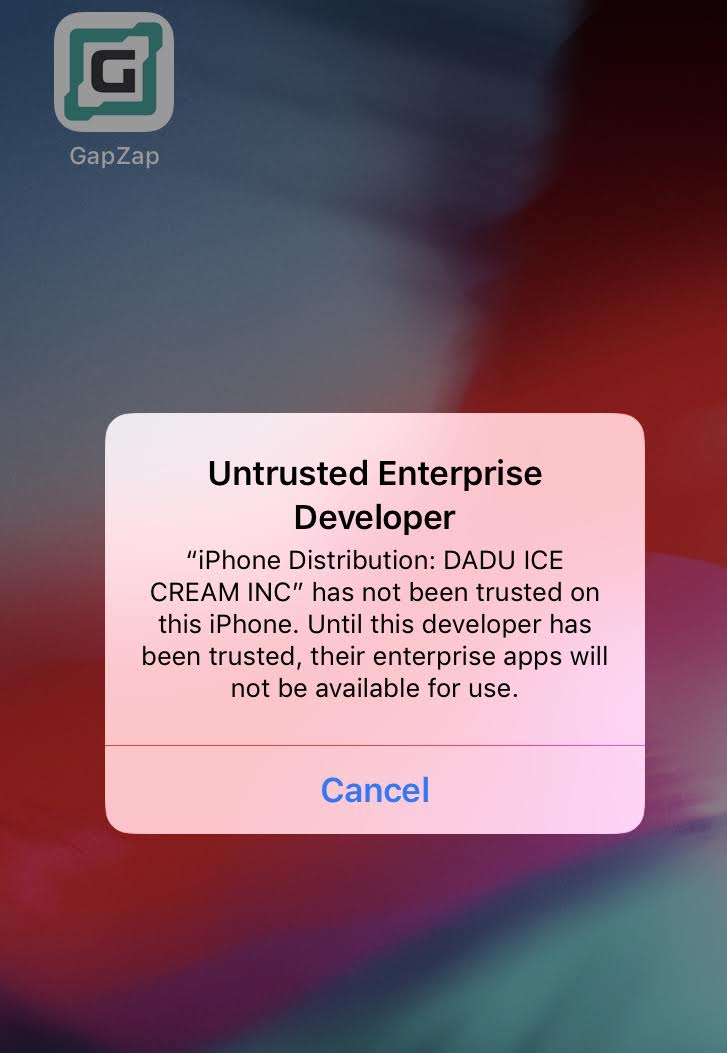
If you see the message below after downloading openning GapZap, follow the instructions below.
1. Go to device Setting
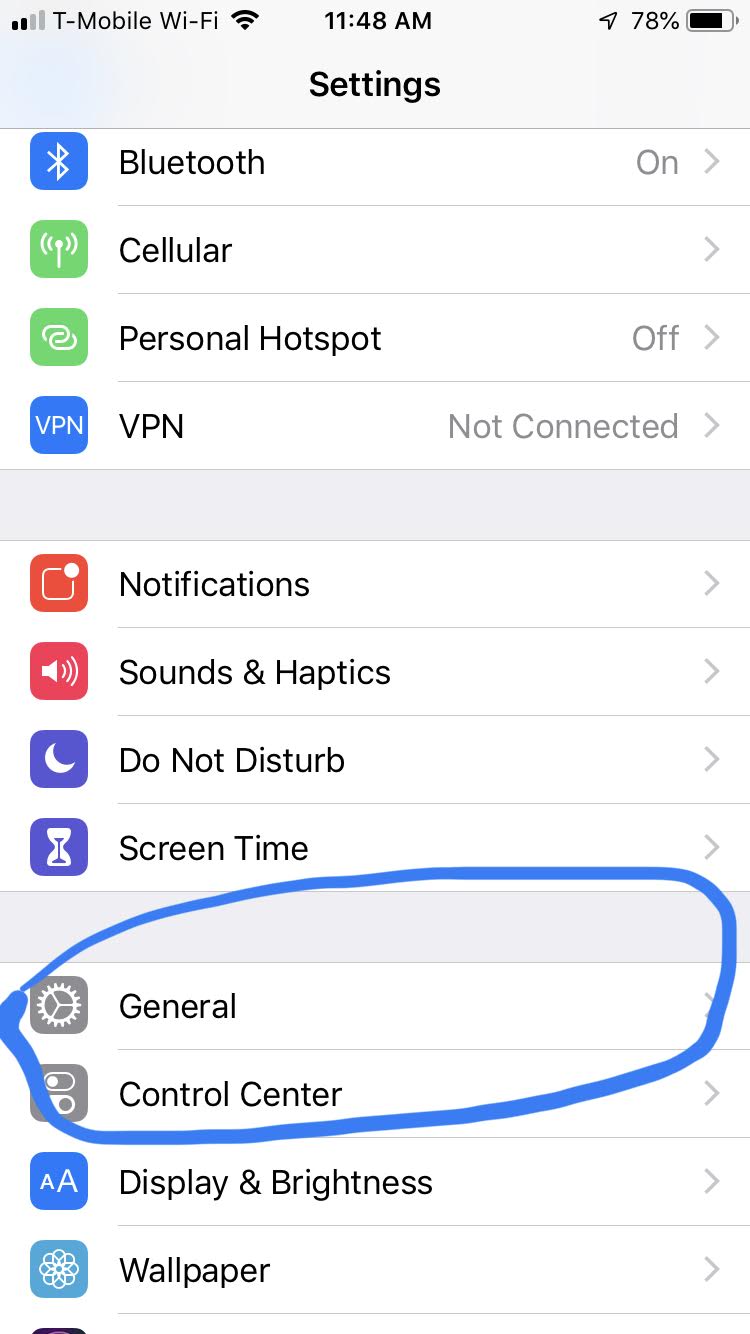
2. General
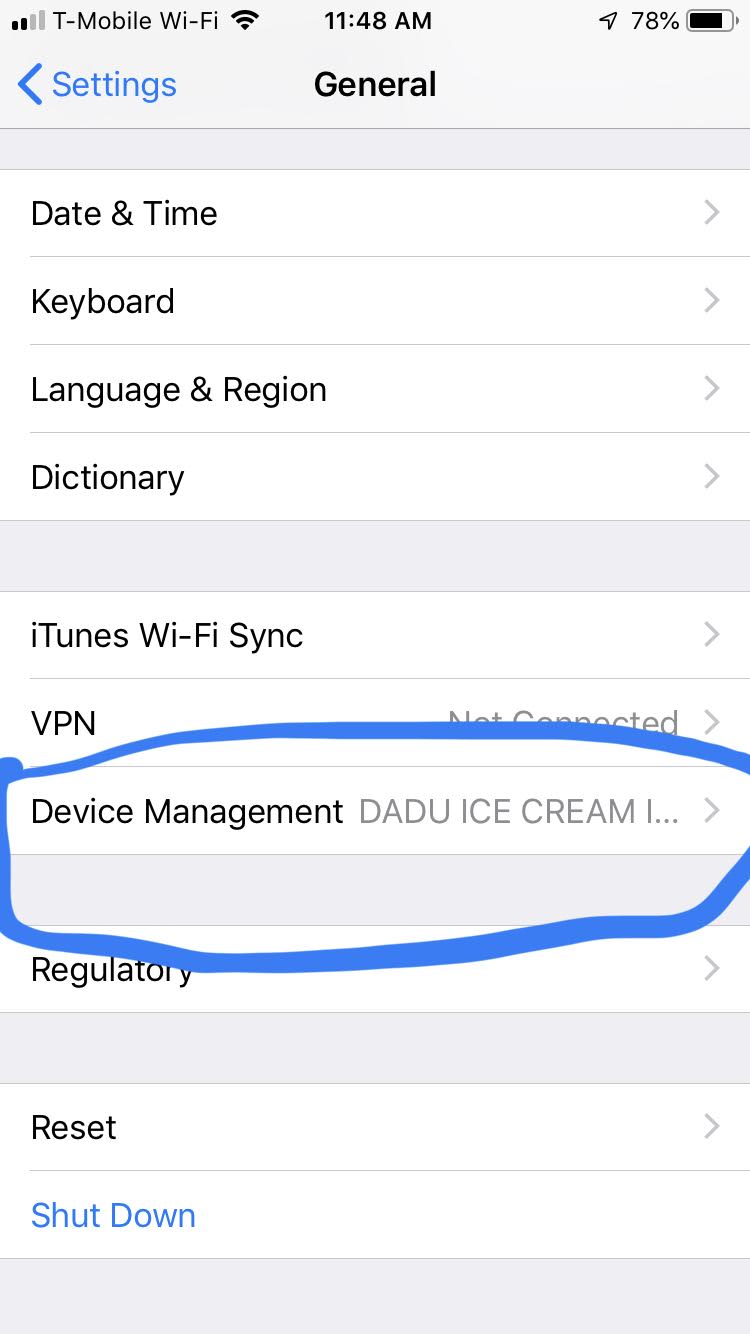
3. Device Management
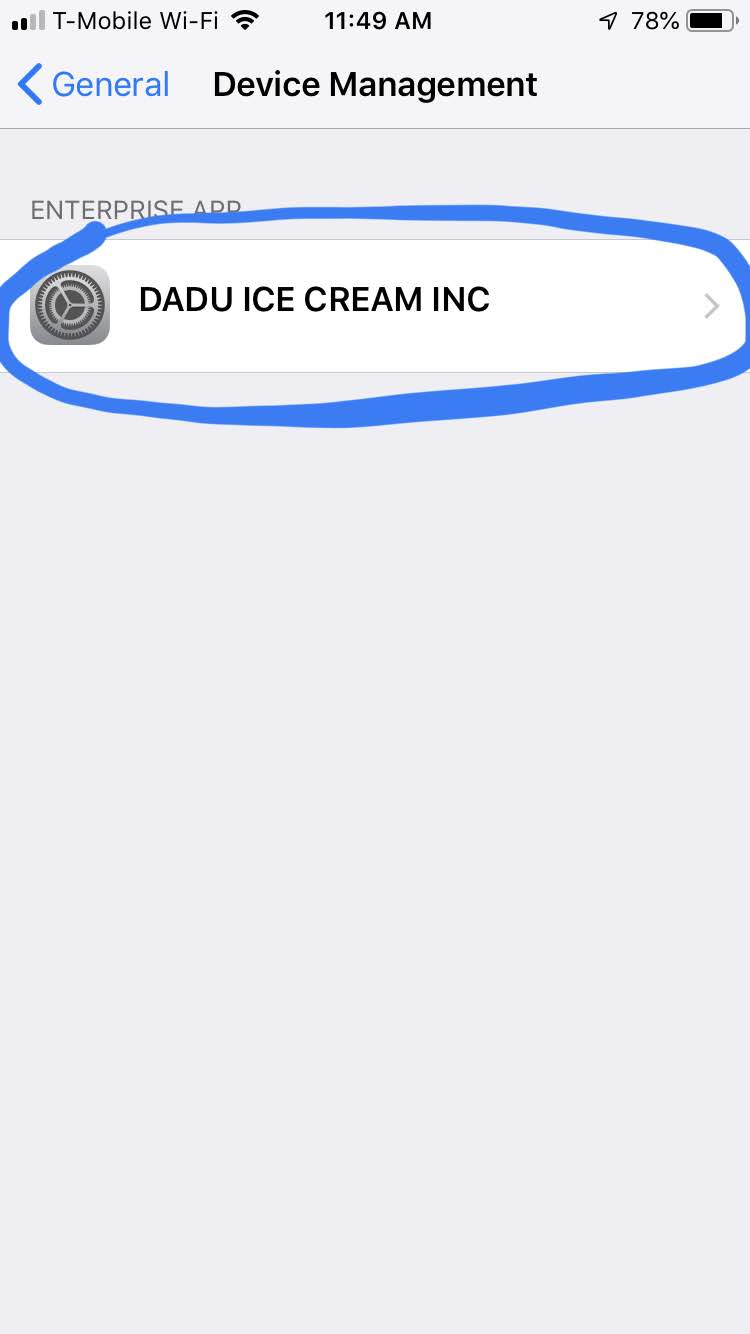
4. DADU ICE CREAM INC
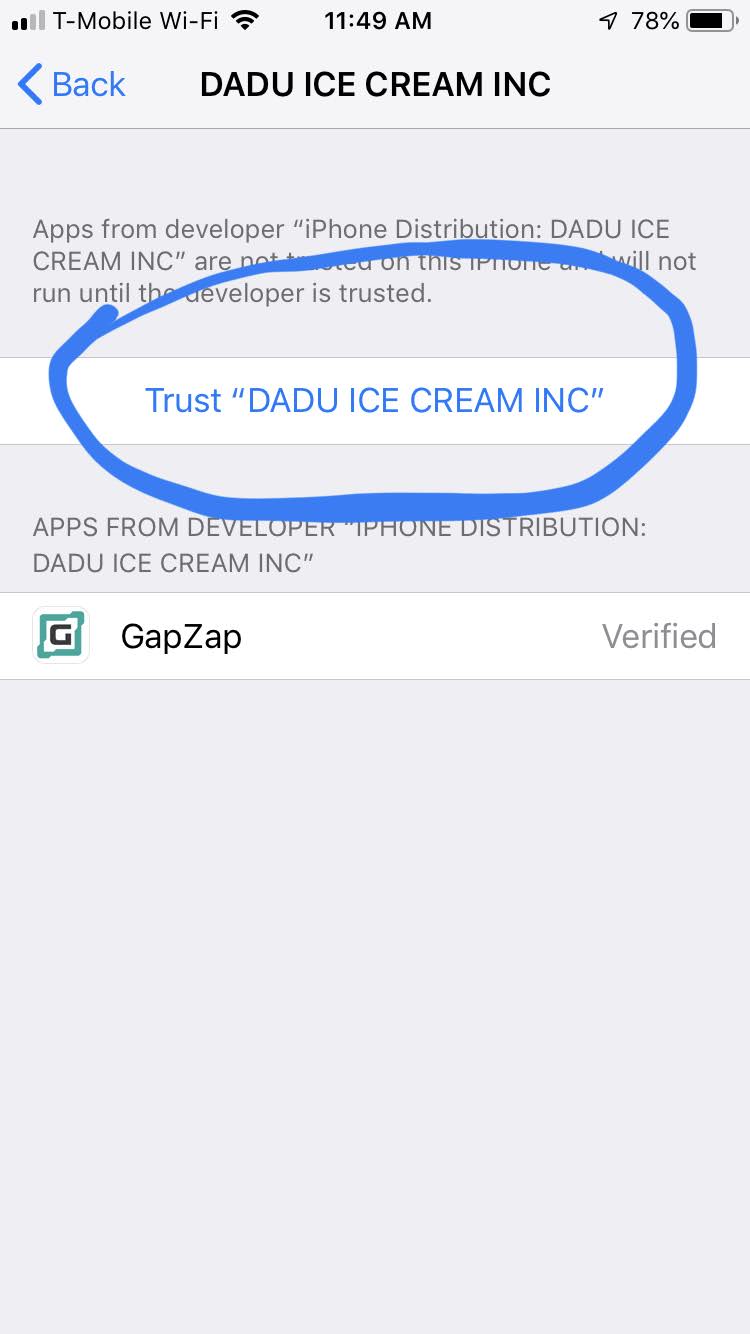
5. Trust "DADU ICECREAM INC"
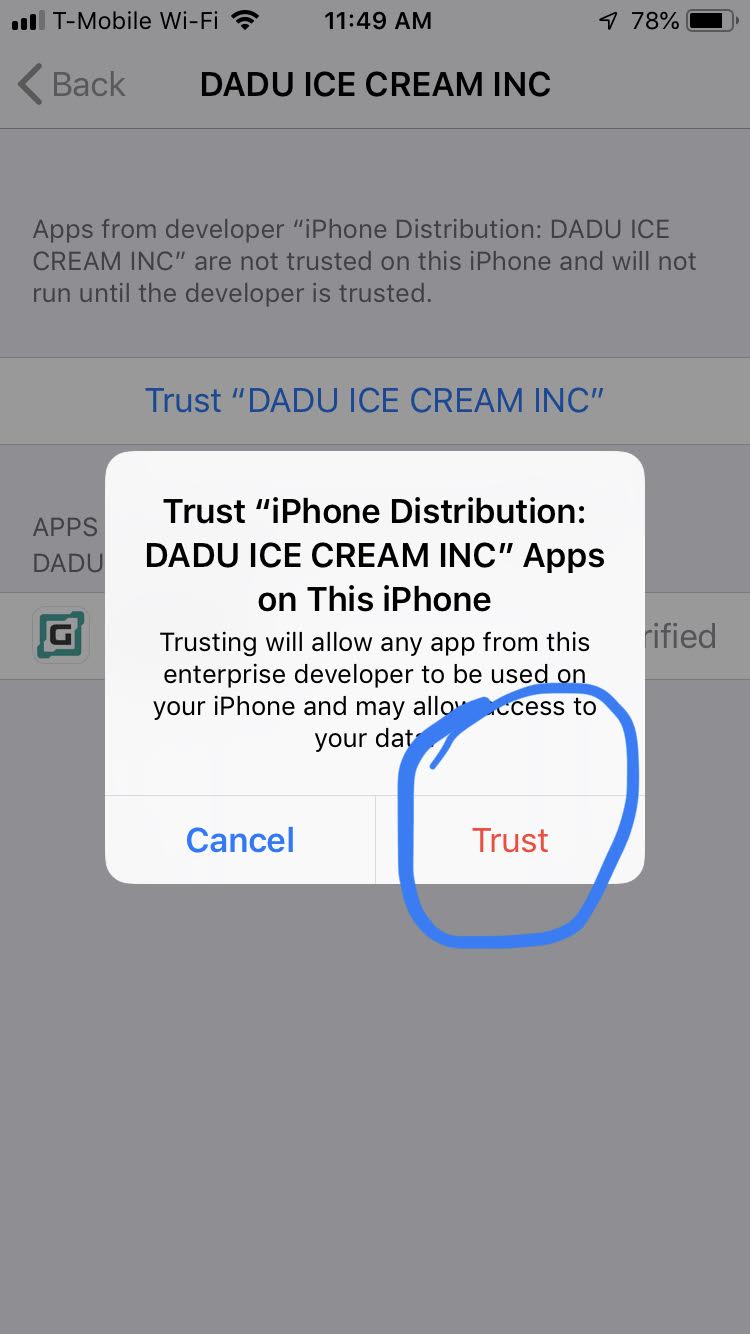
Go back to Home screen and launch GapZap. The app should now open with no issues.